Sunday, February 12, 2012

How to make QDialogs movable in Gnome 3

$ su -c "yum install gconf-editor"

Press Alt+F2 and enter 'gconf-editor' to open it.


Desktop > Gnome > Shell > Windows (attach_modal_dialogs = false)


Type 'r' in Alt+F2 prompt to restart Gnome shell and see the changes.

In Fedora 17 there is no "shell > windows" configuration, so the alternative is:

$ gsettings set org.gnome.shell.overrides attach-modal-dialogs "false"

Saturday, February 11, 2012

Thursday, February 9, 2012

Fedora: Startup Applications Preferences

To configure desktop startup programs and save the current session run Startup Applications Preferences from terminal:

$ gnome-session-properties

Monday, December 26, 2011

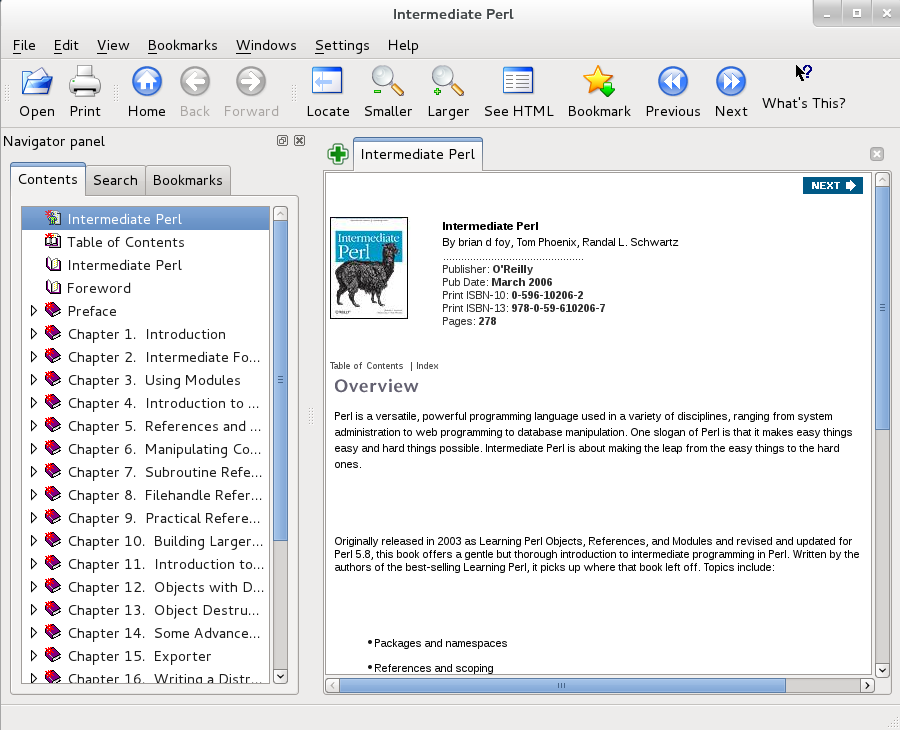
Qt/KDE based viewer of CHM files


Install viewer for the files with .chm extension:

$ su -c "yum install kchmviewer"

Project site: http://www.kchmviewer.net/

Wednesday, December 21, 2011

Questions from Oracle Java Olympic 2011 (in Russian)

В какой коллекции операция удаления первого элемента занимает наименьшее время?
  • ArrayList
  • LinkedList
  • Stack
  • Vector

Какой оператор используется для инвертирования значения переменной типа boolean?
  • !
  • ^^
  • NOT
  • <>
  • invert

Как уничтожить объект в Java?
  • вызвать Runtime.getRuntime().gc()
  • присвоить null всем ссылкам на объект
  • этого нельзя сделать вручную
  • вызвать метод finilize() у объекта
  • вызвать деструктор у объекта

Monday, November 21, 2011

gnome-shell extension: move Thunderbird indicator to the top panel

By analogy with moving Skype indicator to the top panel, I created extension, which allows to move Thunderbird indicator from system tray to the top panel:


0. Download archive from here.

1. $ tar -zxvf thunderbird_to_status_bar_v2.1.tar.gz

2. $ mv thunderbird.status@gnome-shell.rdiachenko.org ~/.local/share/gnome-shell/extensions

3. Type 'r' in Alt+F2 prompt to restart Gnome shell

4. Install gnome-tweak-tool:

$ su -c "yum install gnome-tweak-tool"

5. Press Alt+F2 and type in 'gnome-tweak-tool'

6. Choose 'Shell Extensions' and switch on 'Thunderbird Status Icon Extension':


7. Type 'r' in Alt+F2 prompt to restart Gnome shell

More useful extensions here: http://roman-ivanov.blogspot.com/2011/11/fedora-16-useful-extensions-for-gnome.html

gnome-shell extension: move Skype indicator to the top panel

Moving Skype indicator from system tray to the top panel:


0. $ cd ~/.local/share/gnome-shell/extensions

1. $ mkdir skype.status@gnome-shell.rdiachenko.org

2. $ cd skype.status@gnome-shell.rdiachenko.org

3. Create file 'metadata.json' with this content:

{
     "description": "Integrates Skype Client into the status bar",
  "name
": "Skype Status Icon", 
  "shell-version": [ "3.0.2", "3.2", "3.4" ],
  "uuid": "skype.status@gnome-shell.rdiachenko.org",
  "version": 2.0
}

Saturday, November 19, 2011

gnome-tweak-tool: customize fonts, themes, shell extensions, enable desktop and window's buttons (minimize, maximize)

gnome-tweak-tool is a nice simple tool for customizing fonts, themes, shell extensions...

To install it, enter the following command:

$ su -c "yum install gnome-tweak-tool"

To run it, press Alt+F2 and type in 'gnome-tweak-tool'. Simple selecting the options performs the changes. 

Some changes may require logging out and logging back in: type 'r' or 'restart' in Alt+F2 prompt to restart Gnome shell and see the changes.